GitLab integration
The GitLab integration incorporates Codacy on your existing Git provider workflows by reporting issues and the analysis status directly on your merge requests.
When you add a new repository, Codacy sets the GitLab integration using the default settings for your organization. You can then customize the settings for the repository.
Codacy uses the GitLab user who added the repository to create comments on merge requests. If that user loses access to the repository, a repository admin must refresh the GitLab integration.
Configuring the GitLab integration
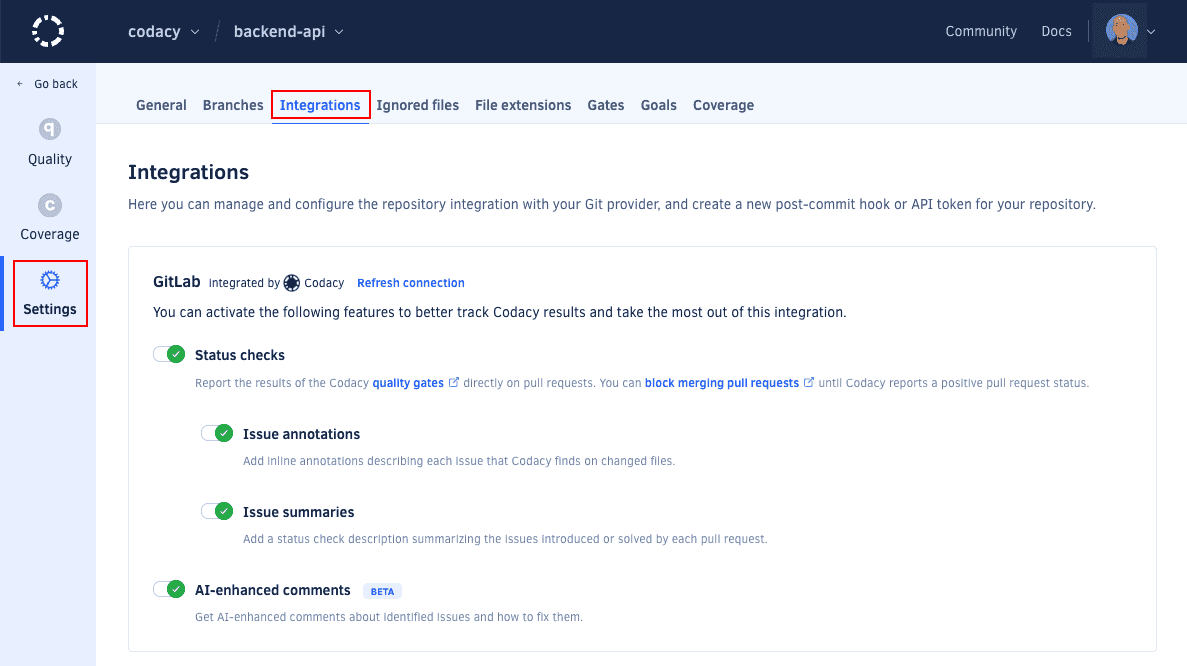
To configure the GitLab integration, open your repository Settings, tab Integrations.
Depending on the options that you enable, Codacy will automatically update merge requests on GitLab with extra information when accepting merge requests.
You can apply the default Git provider integration settings to all repositories to ensure that your repositories all share the same settings.
Status checks
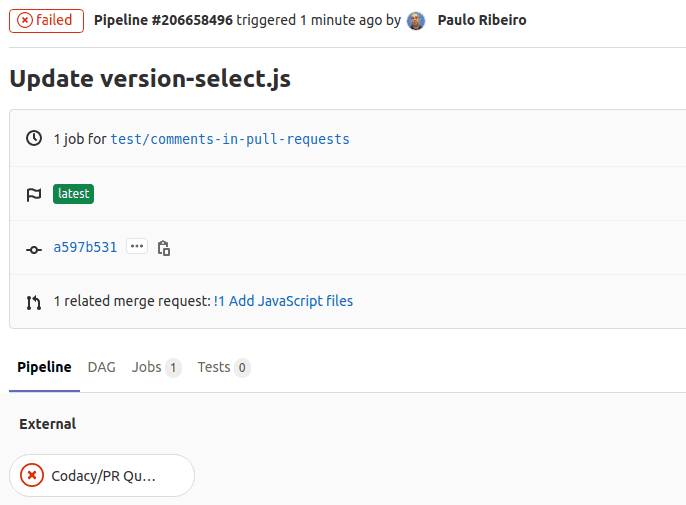
Adds a report to your merge requests showing whether your merge requests and coverage are up to standards or not as configured on the quality gate rules for your project. You can then optionally block merging merge requests that aren't up to standards.
To get a status for coverage you must also:
- Add coverage to your repository
- Enable the rule Diff coverage is under or Coverage variation is under on the pull request quality gate.
Issue annotations
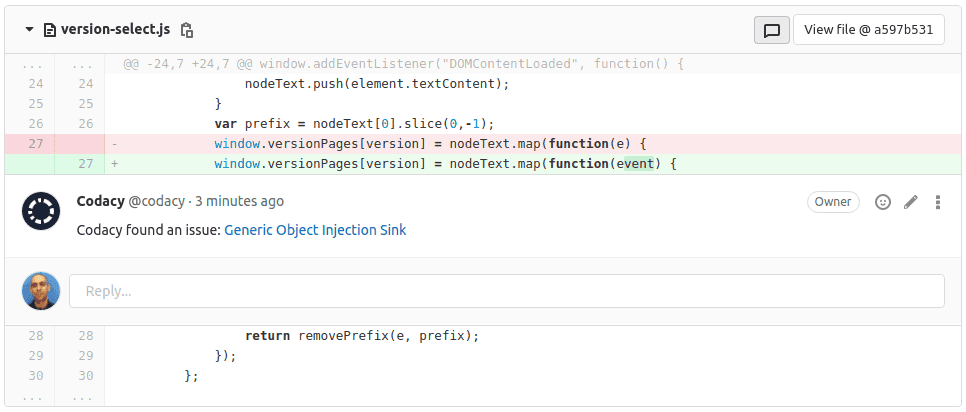
Adds comments on the lines of the merge request where Codacy finds new issues. Click on the links to open Codacy and see more details about the issues and how to fix them. To enable this option, you must enable Status checks first.
Issue summaries
Shows an overall view of the changes in the merge request, including new issues and metrics such as complexity and duplication. To enable this option, you must enable Status checks first.
Coverage summaries
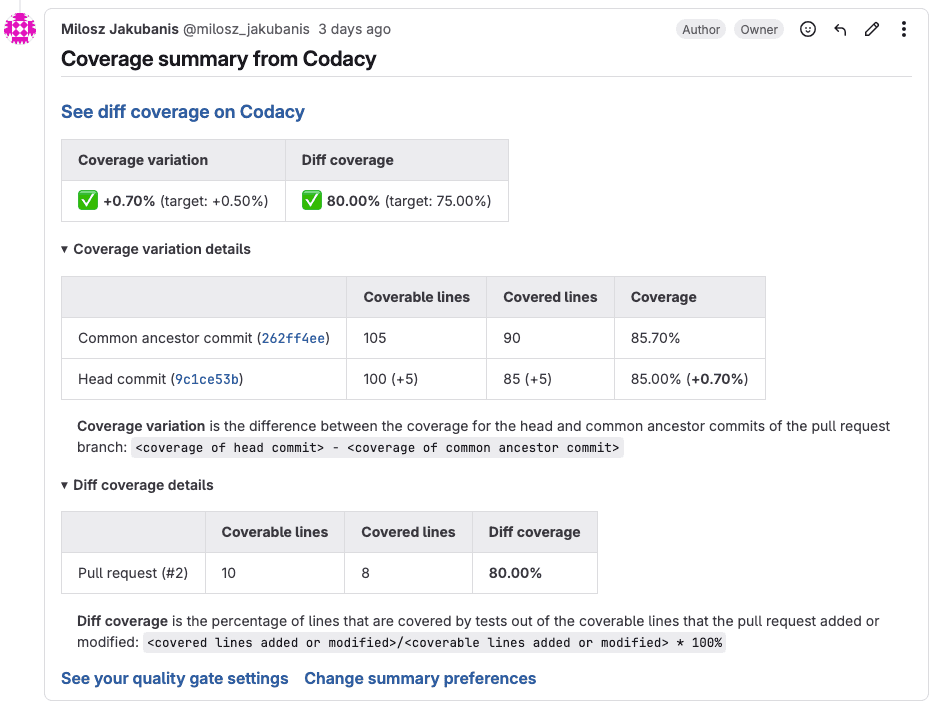
Adds a pull request comment showing an overall view of the coverage metrics for the pull request, including details about the data that Codacy used to calculate the coverage variation and diff coverage metrics.
When there are new coverage results, Codacy updates the last coverage summary comment if it's included in the last 5 comments of the pull request. Otherwise, Codacy creates a new comment.
To get coverage summaries you must also add coverage to your repository.
This feature is only supported on GitHub and GitLab Cloud.

AI-Enhanced Comments
Adds AI-enhanced comments with insights to help you fix identified issues.
- This feature is compatible with most programming languages and requires no additional setup.
- Comments are generated using the description of the static analysis issue, information about the tool that detected the issue, and a few lines of surrounding code to provide the AI with extra context and improve its accuracy.
- This feature leverages the OpenAI API. No information is shared with other third parties or used to train AI models. Refer to the OpenAI API data usage policies for more information.
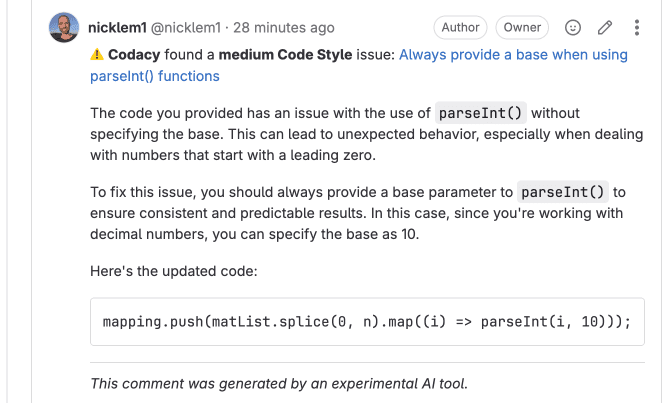
Refreshing the GitLab integration
If the user who added the repository to Codacy loses access to the repository, which may happen when the user leaves the team or the organization, Codacy won't be able to create comments on merge requests.
In this situation, another user with administrator access to the repository needs to refresh the GitLab integration:
Use a dedicated service account to integrate Codacy with your repositories. This prevents disruption of service if the user who originally enabled the integration loses access to the repositories, which may happen when a user leaves the team or the organization.
For more information and instructions on how to set up a dedicated
service account see
Why did Codacy stop commenting on pull requests?
-
Open the repository Settings, tab Integrations.
-
On the GitLab integration area, click the link Refresh connection.
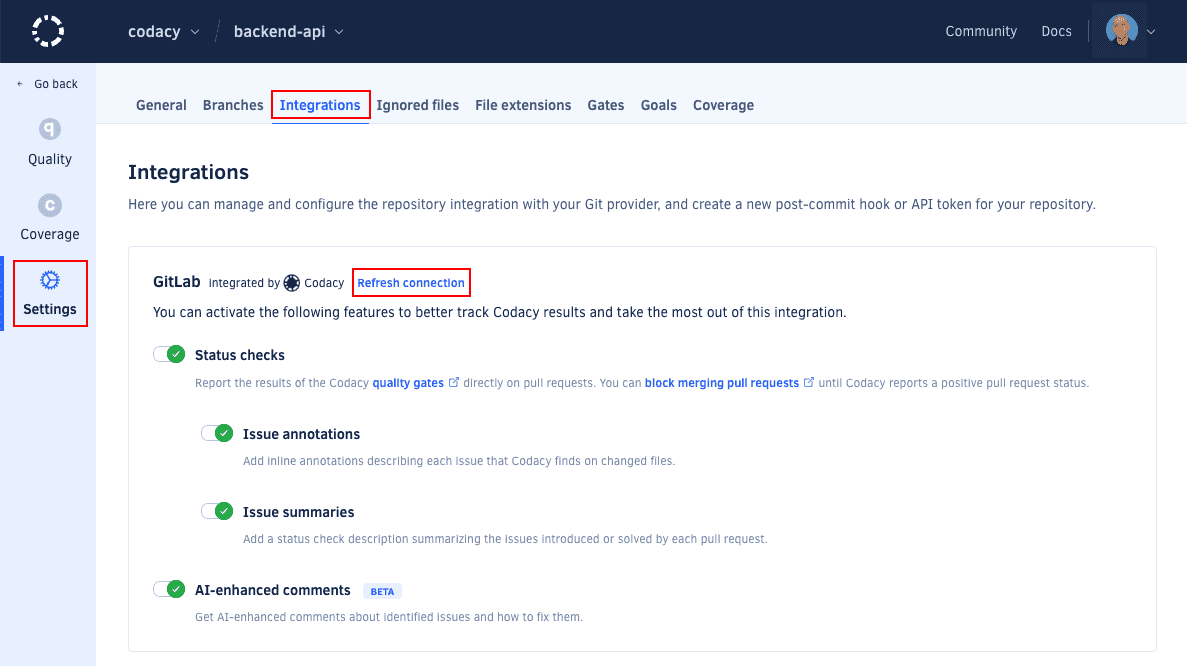
After refreshing the integration, Codacy will use the logged in GitLab user to create comments on new merge requests.