Codacy quickstart (5 min)
Codacy is an automated code quality and coverage platform that analyzes your source code and identifies issues as you go, helping your team ship robust software by scanning over 40 programming languages, such as JavaScript, Python, Java, C#, and PHP.
Check out our product demo for an overview of Codacy's main features (recorded on May 13, 2024):
By integrating with your Git provider, Codacy keeps track of your team’s work, analyzes relevant commits, highlights problems, suggests improvements, and protects your codebase from unwelcome changes. From organization and repository level to individual files, pull requests, and commits, Codacy monitors the following metrics across your projects:
- Issues: violations of a given rule, standard, convention, or best practice, from inconsistent code formatting to security risks
- Complexity: a measure of the number of execution paths through a program's source code
- Duplication: the amount of duplicated portions of code
- Coverage: the percentage of lines of code covered by automated tests
Adding your first repository
To get started, head to codacy.com and click Start free. Then, follow these steps:
1. Signing-up ||signing-up||
Sign up with a Git provider such as GitHub, GitLab, or Bitbucket. This links your Codacy user with your Git provider user, making it easier to add repositories to Codacy and invite your teammates.
Codacy will request access to your Git provider during the authorization flow. Check the permissions that Codacy requires and why.
2. Choosing an organization ||choosing-organization||
Now, you'll need to add or join the organizations that contain your repositories. The organization with the same name as your Git provider username contains your personal repositories. Read more about organizations on Codacy.
To start adding your repositories, select one of the organizations.
If you can't see the organization you're looking for, follow these troubleshooting instructions.

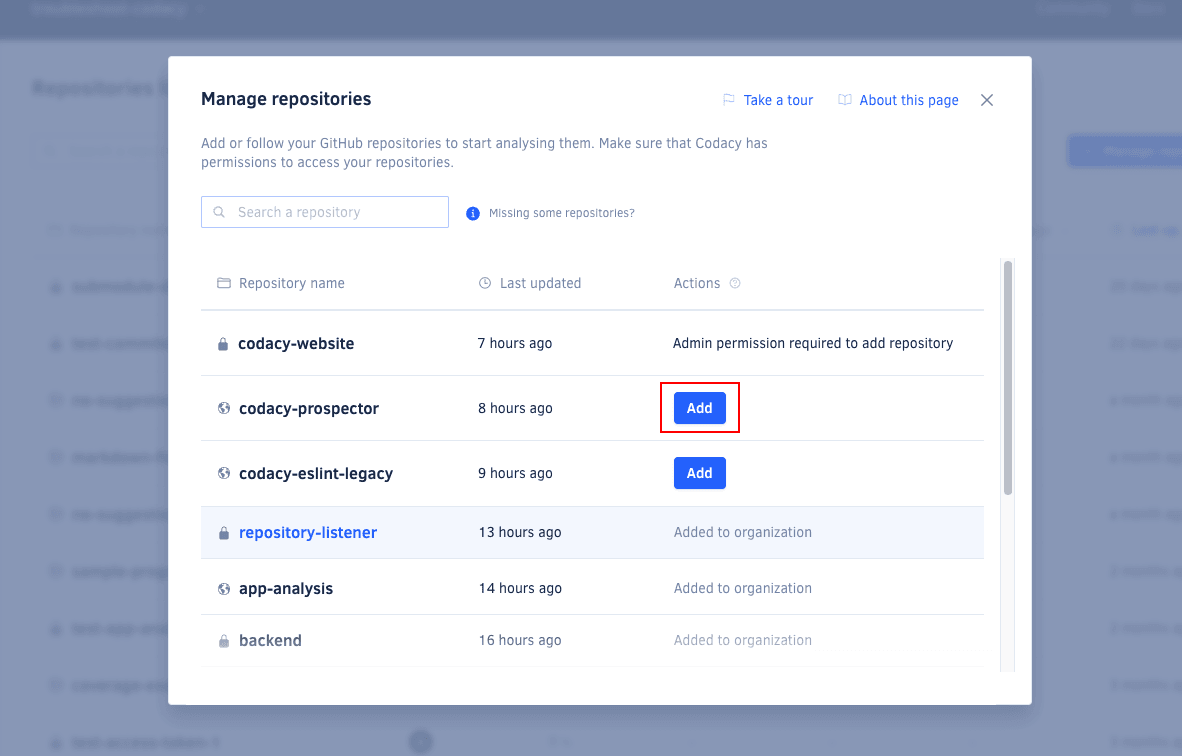
3. Adding repositories ||adding-repositories||
Next, add the repositories that you wish to analyze. Codacy begins an initial analysis as soon as you add a repository and sets everything up to ensure your next commits on that repository are analyzed.
You can only add repositories on Codacy if you have the necessary permissions on your Git provider.
Click the repository name to navigate to the repository dashboard and see the code quality overview of your repository as soon as the initial analysis is complete:
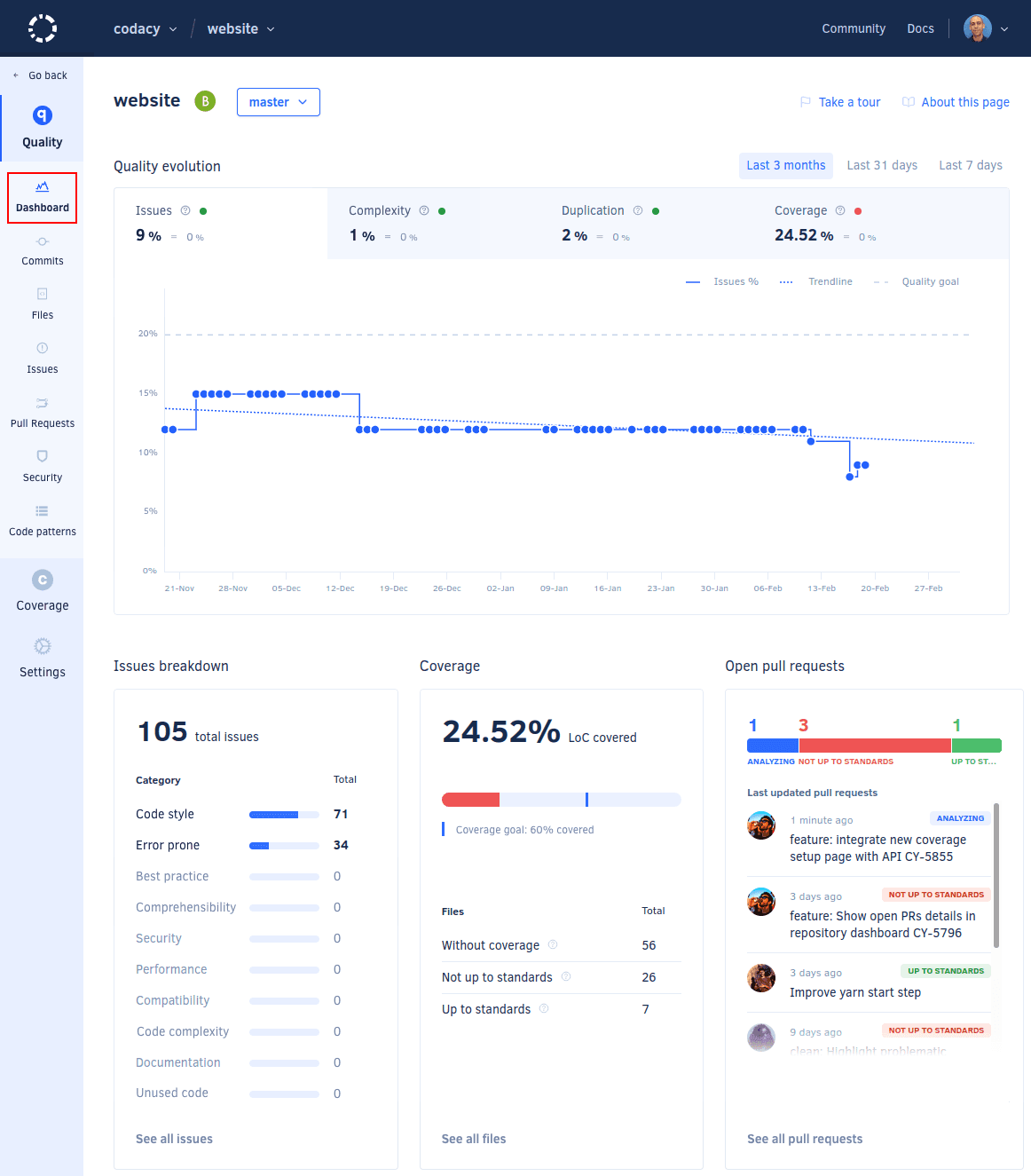
Congratulations, your new repository is ready! To explore the initial analysis results, check the Issues page.
Next steps
The first analysis is based on default tool and pattern configurations. It's now important that you configure your repository to integrate code analysis seamlessly into your existing pipeline. See how to configure your repository to match the use cases of your team.