Configuring languages
Organization admins can manage access to this feature
Codacy automatically detects and analyzes languages in your repository based on a list of supported file extensions. On the repository Settings, tab Languages, you can see the list of languages that Codacy detected and will include in the next analysis.
By default, the analysis is enabled for all languages that Codacy detects in you repository. You can adapt this configuration to your needs as follows:
Codacy applies the language settings defined in the Codacy UI as well as any settings defined using a Codacy configuration file.
Configuring file extensions
If your repository contains source files with extensions not supported by Codacy, associate these extensions with their respective languages to ensure Codacy analyzes them in the next analysis:
-
Go to your repository's Settings, Languages.
-
Add the extensions you want to be recognized for each language.
-
Click Save changes to update your file extension settings.
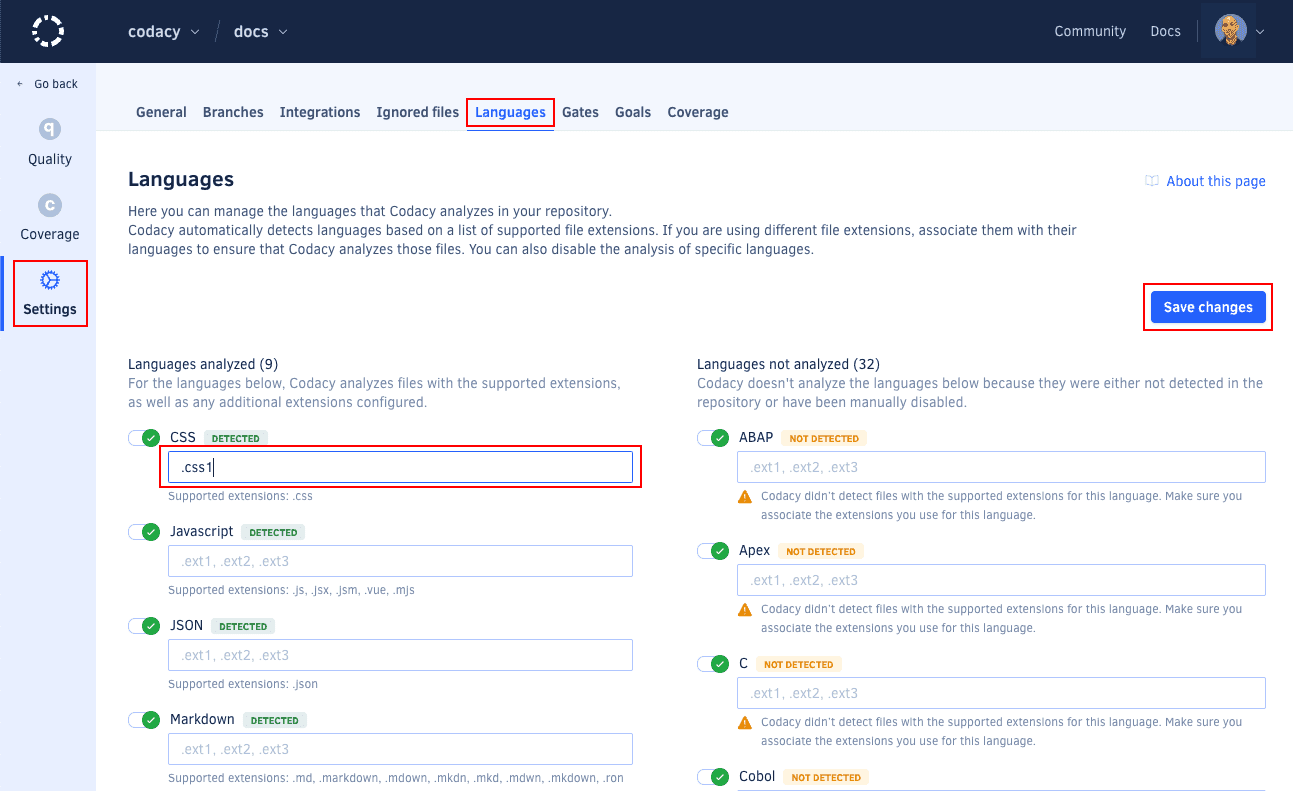
The updated settings will be used on the next analysis, but you can click
reanalyze the latest commit of your branches now on the notification that appears at the bottom of the page to trigger an analysis immediately.
Currently, the Semgrep static analysis tool doesn't support custom file extensions.
Disabling analysis of a language
By default, Codacy analyzes all languages detected in your repository. To disable the analysis of a specific language, do the following:
-
Go to your repository's Settings, Languages.
-
Use the toggle next to the language to disable its analysis.
-
Click Save changes to update your settings.
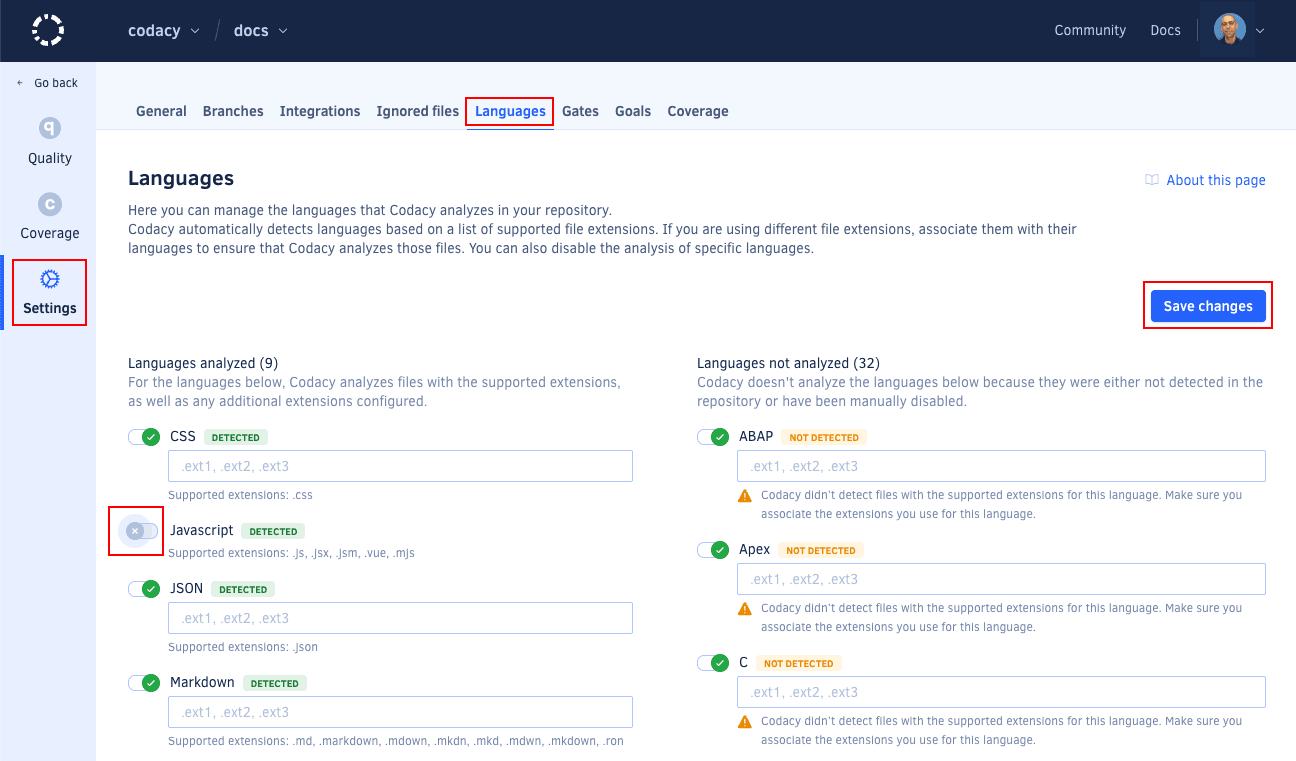
The updated settings will be used on the next analysis, but you can click
reanalyze the latest commit of your branches now on the notification that appears at the bottom of the page to trigger an analysis immediately.