Removing your repository
To stop Codacy from analyzing your repository, you must remove the repository from Codacy.
Removing a repository from Codacy completely removes the configurations and all data related to your repository from Codacy. This operation doesn't make any changes on your Git provider.
caution
To remove a repository from Codacy you must have administrator permissions for that repository on your Git provider.
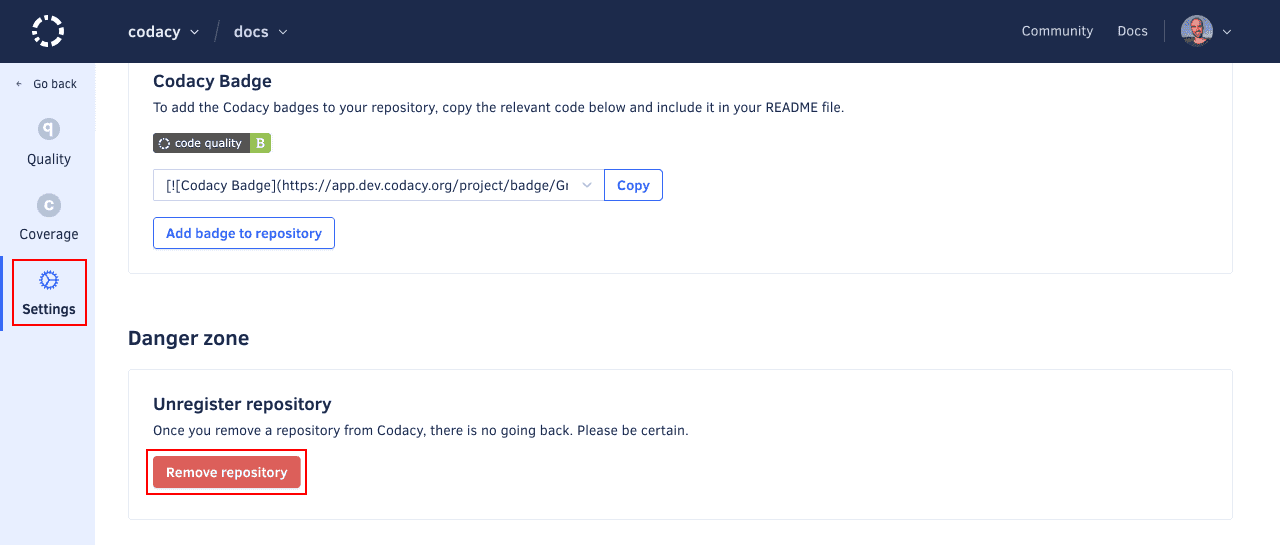
To delete your repository from Codacy:
-
Open your repository Settings, tab General.
-
Click the button Remove repository and confirm that you want to remove the repository.
 note
noteFor added security, after you remove the repository from Codacy you can delete from your Git provider the Codacy resources related to that repository to prevent their reuse:
- Webhooks
- SSH keys (GitLab and Bitbucket only)