What are organizations
Codacy organizations let you automatically import your Git provider organizations, repositories (including your personal repositories that don't belong to a Git provider organization), and team members into Codacy with a few clicks.
Changes to the organizations, repositories, and team members are synchronized with Codacy in real-time, avoiding their manual management.
Adding an organization
To add a new organization to Codacy, select Add organization on the navigation menu.

This opens the list of organizations on your Git providers.
The organization with the same name as your Git provider username contains your personal repositories.

- To add a new organization to Codacy, click the link Add for that organization.
- To join an organization that's already on Codacy, click the link Join for that organization.
- To add organizations from a Git provider not yet listed on this page, click Add provider and give the necessary permissions for Codacy to sync with the new Git provider and display your organizations.
If you can't see the organization you're looking for, follow these troubleshooting instructions.
Updates on the Git provider
If you update your organization or repository information on your Git provider, some changes are automatically reflected on Codacy, as described in the table below.
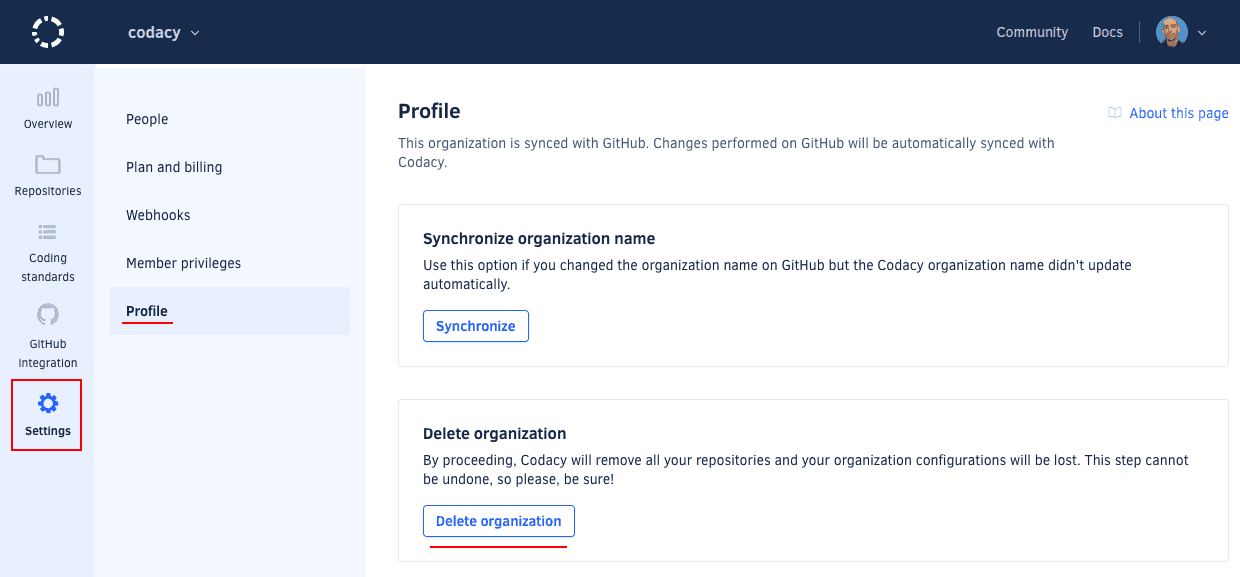
If an update to your organization name isn't automatically reflected on Codacy, navigate to the organization Settings page, tab Profile, and click the Synchronize button.
| Git provider | Rename repository | Change repository visibility | Delete repository | Rename organization or group | Remove member from organization or group | Delete organization or group |
|---|---|---|---|---|---|---|
| GitHub Cloud | Yes | Yes | Yes | Yes | Yes | Yes |
| GitHub Enterprise | Yes | Yes | Yes | Yes | Yes | Yes |
| GitLab Cloud | No | No | No | No | No | No |
| GitLab Enterprise | Yes | Yes | Yes | Yes | Yes | Yes |
| Bitbucket Cloud | Yes | Yes | No | No | No | No |
| Bitbucket Server | Yes | Yes | No | No | No | No |
Se also the roles and permission mapping from the Git providers.
Deleting an organization
Deleting an organization on Codacy completely removes the configurations and all data related to the organization and its repositories from Codacy. This operation doesn't make any changes on your Git provider.
To delete an organization, open the Profile page and click the button Delete organization.