Managing your profile
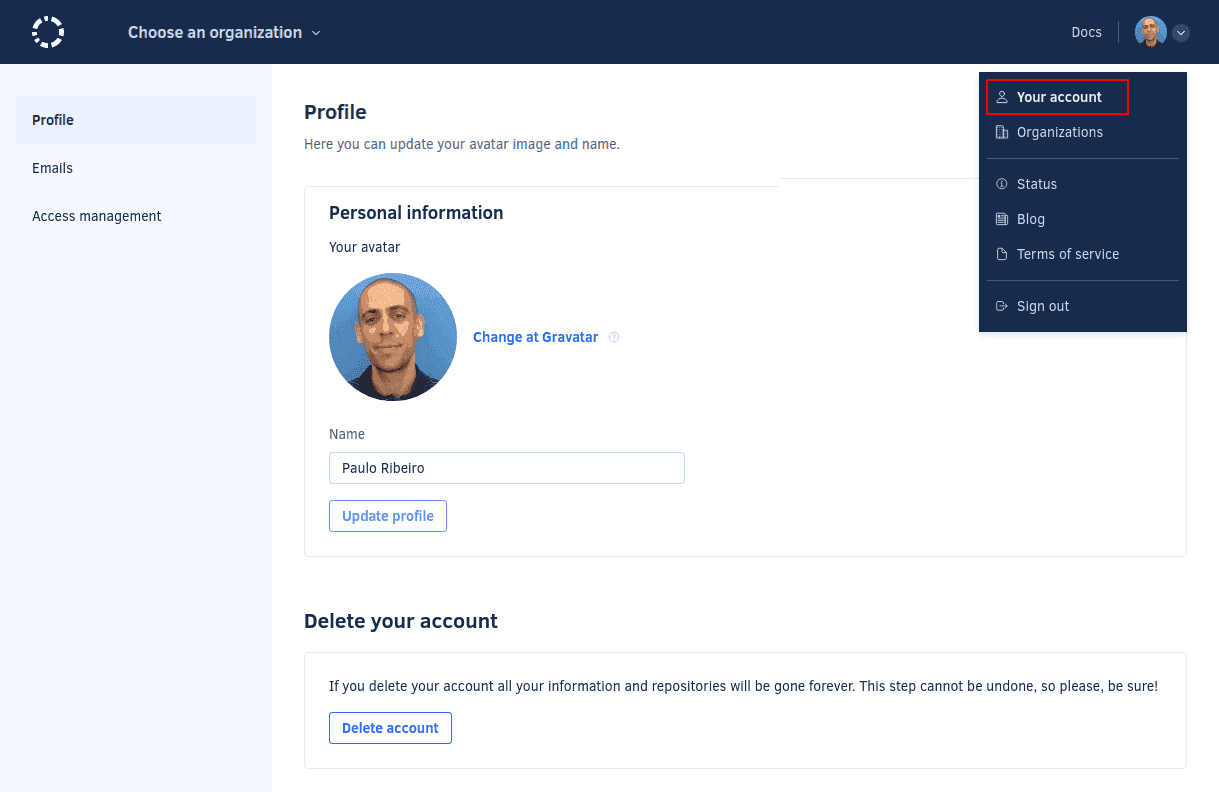
To manage your profile information such as your name and avatar, click on your avatar on the top right-hand corner and select Your account.
Changing your name or avatar
-
To change your avatar, sign up or log in at Gravatar using the same email address that you used to log into Codacy. The avatar that you define there will be automatically used as your avatar on Codacy.
noteOrganization avatars aren't editable at the moment.
-
To change your name, update the field Name and click the button Update profile.
Deleting your account
When you delete your account on Codacy:
- Your profile information and all data related to your personal repositories are completely removed from Codacy
- Codacy will stop analyzing any repositories added to Codacy using your account
This operation doesn't make any changes on your Git provider.
To delete your account, click the button Delete account and confirm that you really want to proceed.
If you're the last organization admin of any of your organizations, you must either add someone else as an owner or delete those organizations before you can delete your account.