How do I reanalyze my repository?
Organization admins can manage access to this feature
Reanalyze the last commit in your branch or pull request:
-
To update the Codacy analysis results taking into account the most recent configurations for your repository without waiting for a new commit to trigger the analysis
-
If the grade or Codacy badge for your branch is greyed out and displays an exclamation mark, which means that the analysis information isn't available for the last commit of the branch:

-
If you have the setting Run analysis on your build server enabled in your repository Settings page so that you can run client-side tools, you can't trigger a new analysis from the Codacy UI.
Instead, you must manually run the client-side tools or wait for them to report the results for a new commit.
-
You can only reanalyze commits to branches or pull requests in your repository if the committer is part of your organization.
Reanalyzing a branch
To reanalyze a branch in your repository:
-
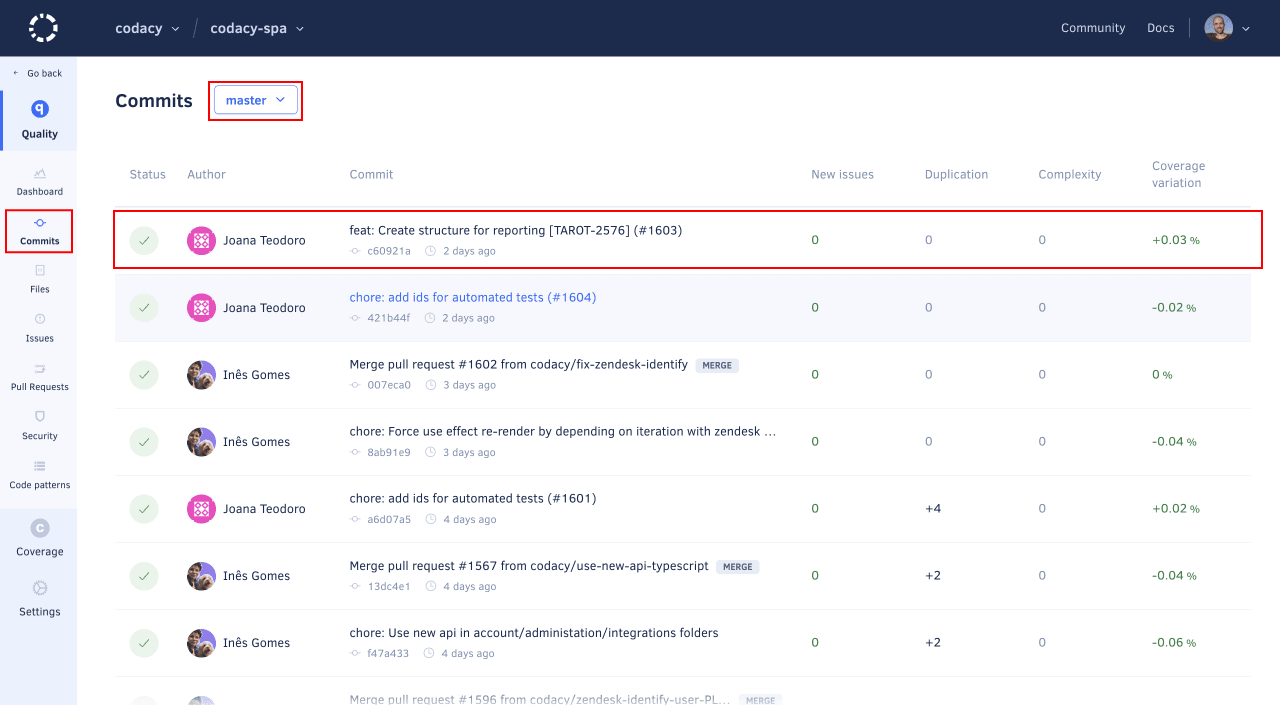
Open the Commits page for your repository and select the correct branch at the top of the page if you configured Codacy to analyze multiple branches.
Then, select the most recent commit for that branch at the top of the list:
-
Click the Reanalyze link to trigger a reanalysis. Codacy will display the status of the reanalysis request.

Reanalyzing a pull request
To reanalyze a pull request in your repository:
-
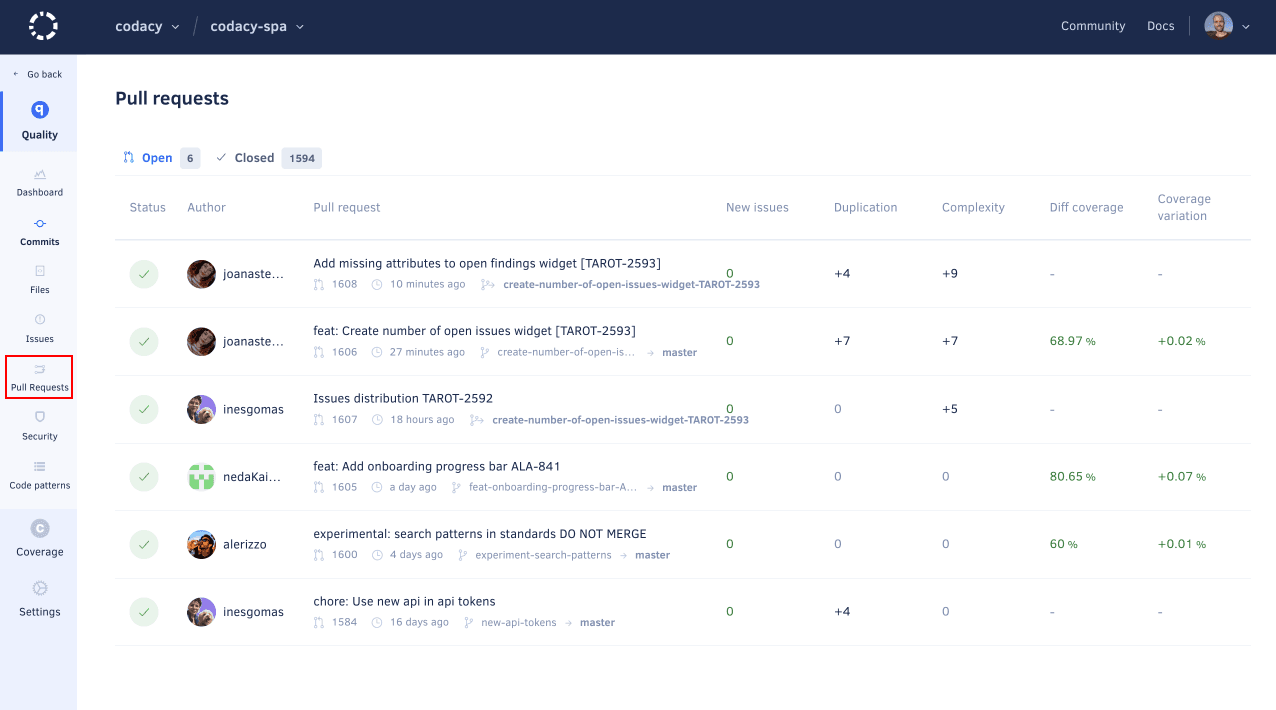
Open the Pull Requests page for your repository and select the pull request that you want to reanalyze.
-
Click the Reanalyze button to trigger a reanalysis. Codacy will display the status of the reanalysis request.
